Traffic in both directions
The client checks both what the machine tries to reach and what tries to reach the machine. If the address is in the threat data, the connection is cut while it is being established.
Version 4.0 is built from the ground up around a kernel driver signed by Microsoft. It sees traffic where it passes through the operating system and can stop it before the connection is established.
The client is active from the start and needs no daily attention. This is what it does while it runs.
The client checks both what the machine tries to reach and what tries to reach the machine. If the address is in the threat data, the connection is cut while it is being established.
One mistyped password means nothing. Many attempts in a row from the same source do. The client follows attempts against remote desktop and other exposed services, and blocks the address once the pattern is clear.
Every block is recorded with address, event type and time, and sent on to the customer panel. You can see what happened on the machine without sitting at it.
Protection is started and stopped per device in the customer panel. Useful when the server sits in a rack somewhere else, or when something needs troubleshooting without anyone travelling to it.
The block lists cover millions of addresses, networks and domains but occupy only a few megabytes. On a gigabit network there is no noticeable difference in speed.
The same client and the same protection on Windows 10 in both 32-bit and 64-bit editions and on Windows 11. It makes no difference whether the machine sits on a desk or answers around the clock in a server room.
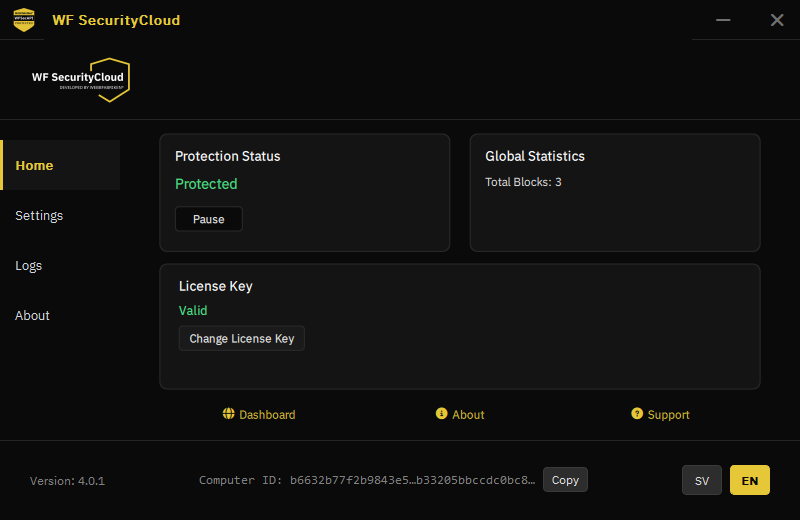
The interface is deliberately small. Most things are handled from the customer panel, and what needs to be on the machine is protection status, licence key and the log.
A program running as an ordinary application sees traffic late, after the operating system has already handled it. A driver in the kernel sees it earlier, and can abort the connection before it gets going.
The driver being signed by Microsoft means it has passed Microsoft's review and certification for kernel code. Windows loads it without requiring you to turn off security features, and it works with Secure Boot enabled.
Knowing where the protection ends matters as much as knowing where it begins.
Register in the customer panel and add the licences you need.
The file is downloaded from the panel while logged in, so that it is tied to your licence.
Run the installer on the machine and activate with your licence key. The device appears in the panel.
The installation file for Windows client 4.0 is fetched from the customer panel after logging in. That ties the download to the right licence and ensures you always get the version that applies to your account.
Create an account, add a licence and get the installation file.